
Remote maintenance for innovaphone systems
An app in myApps establishes an encrypted connection to your SRM server. Your technicians open the PBX, App Platform and other devices at the customer's site with one click – no port forwarding, no VPN accounts, no maintenance PC on site.
- End-to-end encrypted
- Zero Knowledge for credentials
- Two-factor login
How SRM works
Install the app
The SRM app is installed like any other app on the customer's innovaphone App Platform. There you enter which devices should be reachable.
No App Platform at the customer’s site?
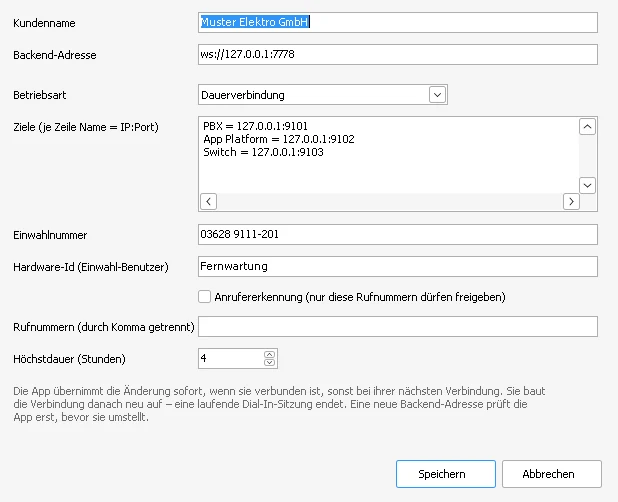
No problem: enter the backend URL directly in the gateway.
Pair once
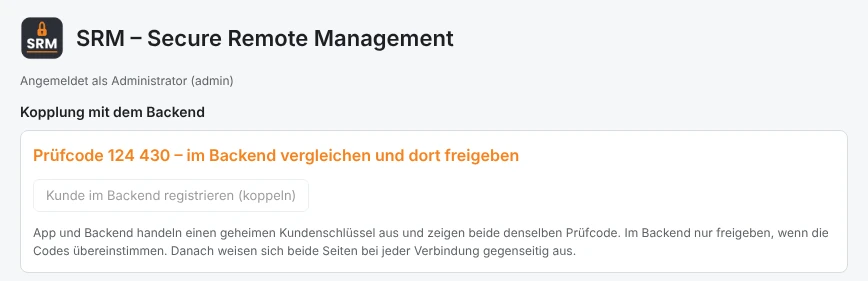
App and SRM server exchange a secret key and show the same check code. You approve the pairing – from then on both sides identify each other at every connection.
Maintain remotely
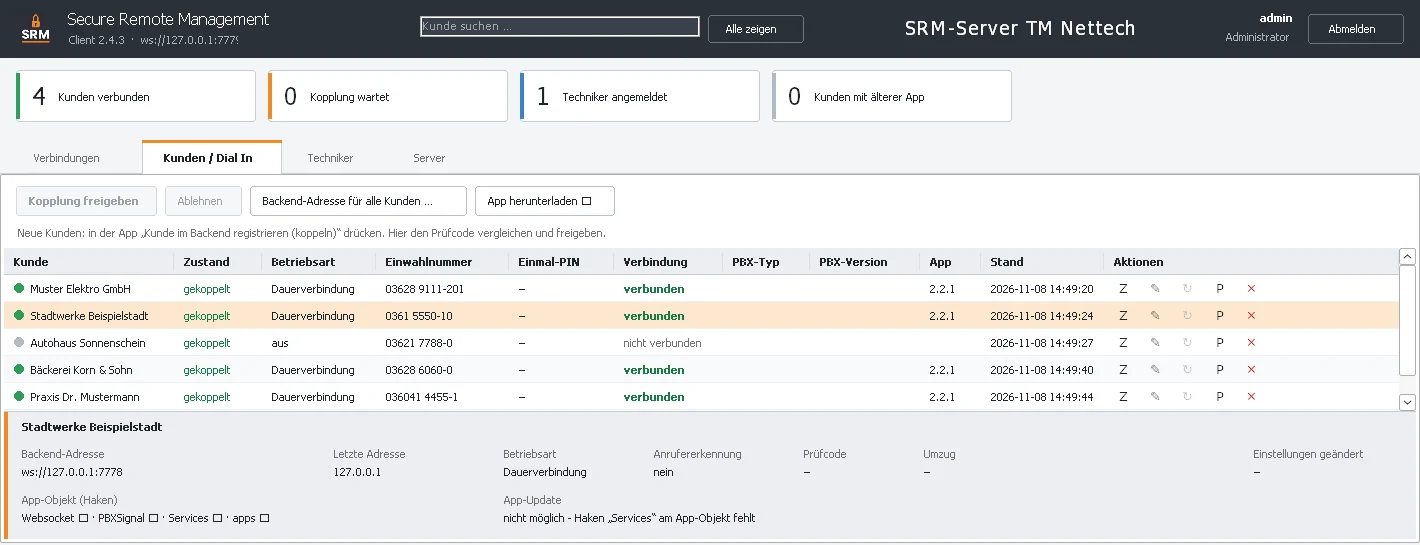
The SRM client shows all your customers. “Open in browser” – and you are on the PBX's web interface. Permanently or only after a call with a one-time PIN.
All customer systems at a glance
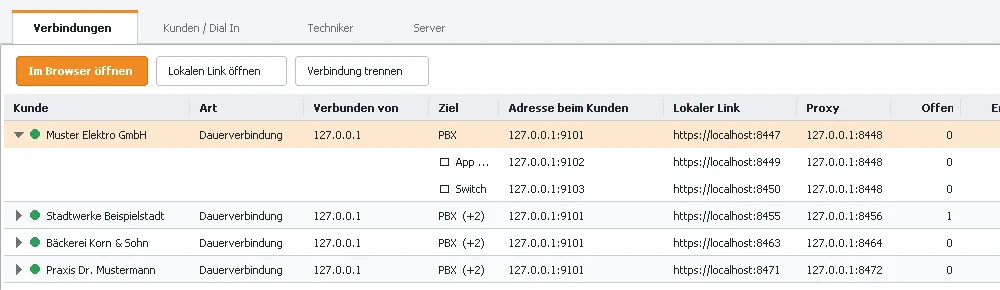
The SRM client shows which customers are connected right now, which targets are reachable and how much traffic is flowing. Every target – PBX, App Platform, switch or any other device with a web interface – gets its own local link.
- “Open in browser” starts the device's interface directly
- several targets per customer, freely named
- live counters for traffic and open channels
Pairing with a check code
Before a customer can connect, the app is paired with your SRM server. Both sides show the same check code – if it matches, you approve. After that every connection is mutually authenticated and end-to-end encrypted.
- secret key per customer
- outgoing connection only at the customer – no port forwarding
- WebSocket Secure (WSS) as transport
- works behind NAT and firewalls
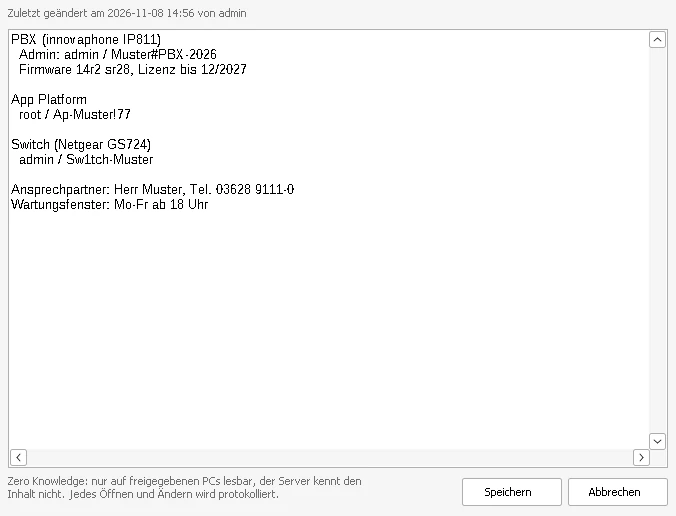
Credentials only your PCs can read
For every customer you store passwords, contacts and notes. Encryption and decryption happen only on approved PCs – the SRM server stores nothing but encrypted data. Even a stolen database or backup reveals nothing, and with SRM-Cloud not even we as the operator can read anything.
- new PCs only after approval with a check code
- recovery key for emergencies
- every opening and change is logged
Permanent connection or Dial In
For each customer you choose how the connection comes about: as a permanent connection that is re-established automatically after every restart, or via Dial In activation – only when a technician calls the dial-in number and types in the one-time PIN. With a maximum duration and, if you like, only from known numbers.
- change the app's settings from the SRM server
- manage targets, dial-in number and maximum duration centrally
- the customer stays in control in the app at all times
Clear and simple in myApps
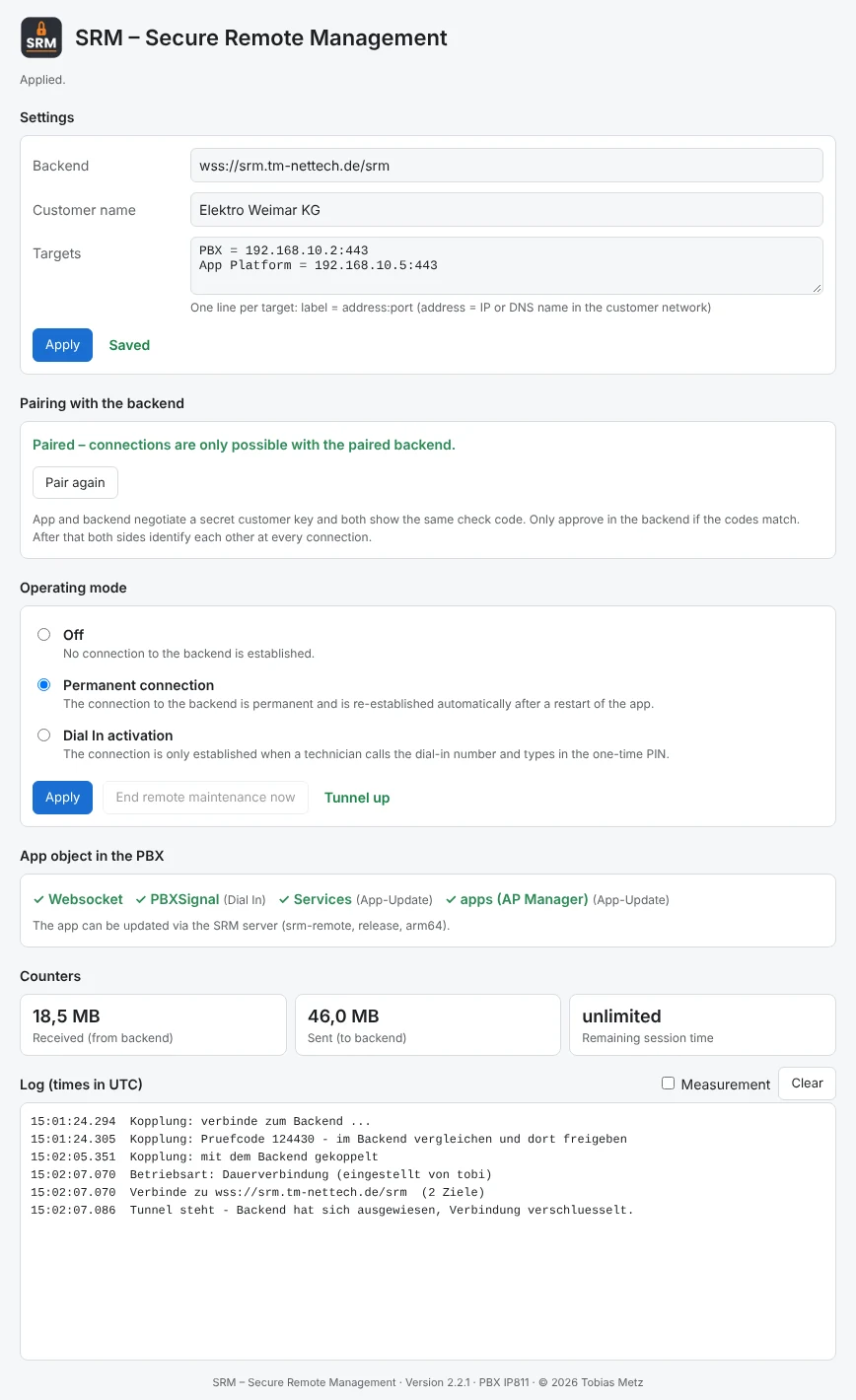
The SRM app runs on the customer's App Platform and shows clearly whether and where it is connected. Pairing, operating mode, the state of the app object and a log – all on one page, in English and German.
- “End remote maintenance now” for the customer
- checks the checkboxes on the app object by itself
- remote app update via the AP Manager
Technicians, roles and two-factor
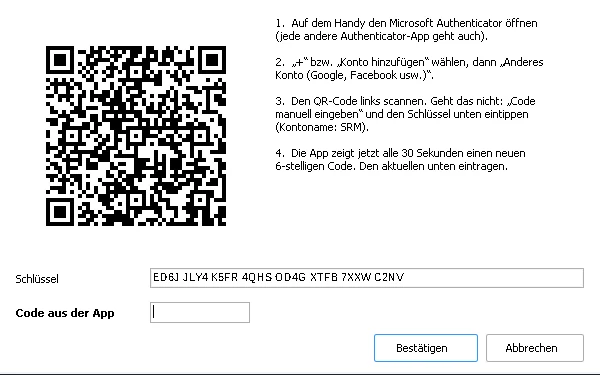
Create an account for each technician and decide who may view or change credentials and who may adjust app settings. Logins can be secured with a second factor from any authenticator app – optional or mandatory for everyone.
- roles administrator and technician
- permissions for credentials and app settings
- two-factor login (TOTP) with a policy
Customer log
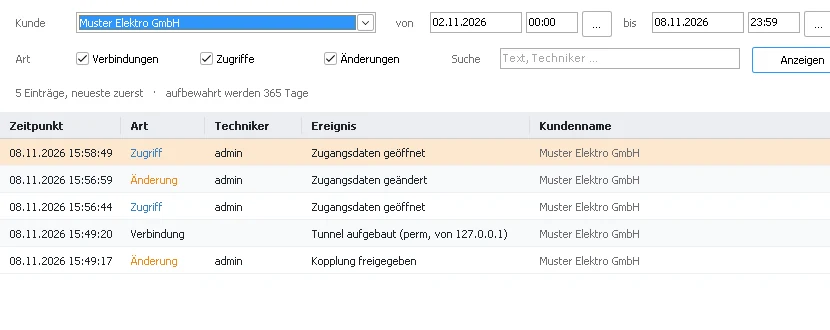
Who was connected to which customer and when? The customer log records connections, access to credentials and changes – filterable by period, type and technician and exportable as CSV. Ideal as proof for your customers.
- retention period freely adjustable
- search and filter by customer, period and type
- export as CSV
Your server at a glance
The “Server” tab shows load, memory, traffic and licence live with history. It is also where you find backup and migration, reverse proxy, display name, language and the approvals for Zero Knowledge.
- encrypted backup with its own password
- move all customers to a new server address
- operation behind your own reverse proxy
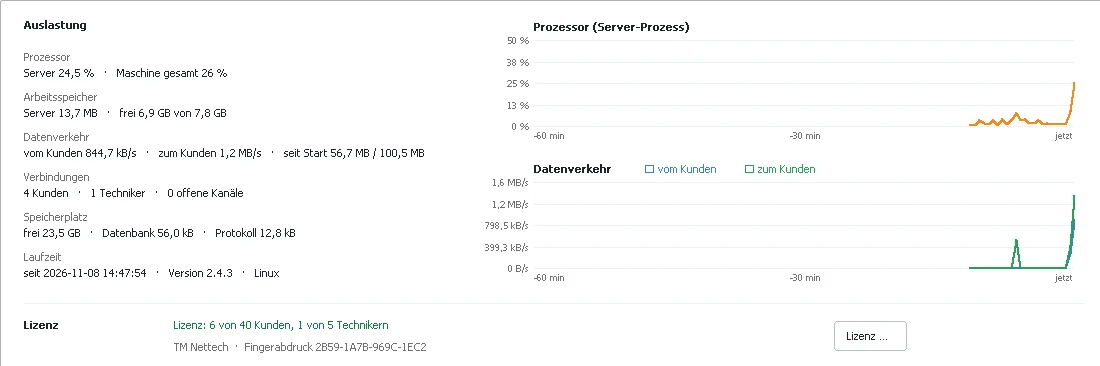
More views
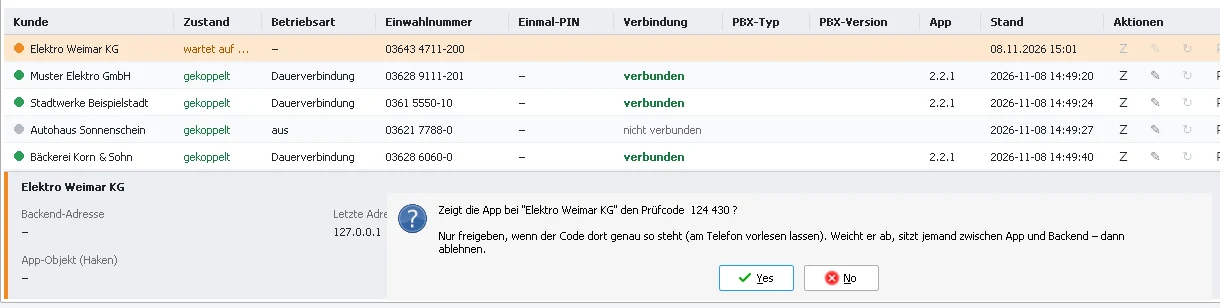 Approving a pairing in the SRM client
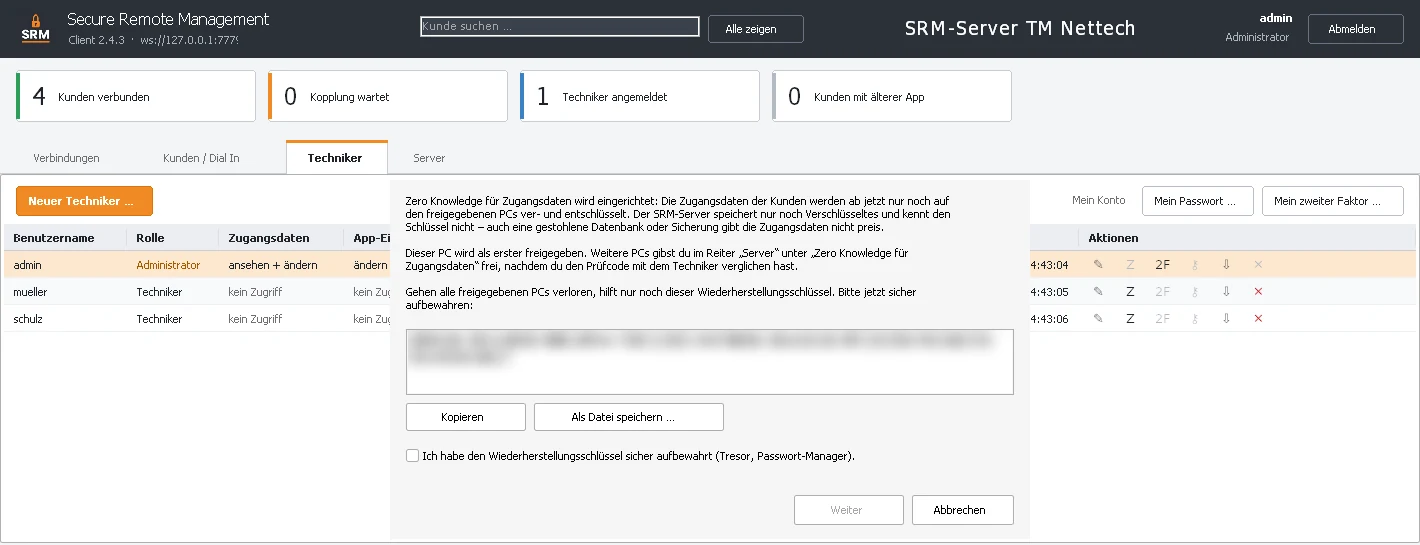 Setting up Zero Knowledge
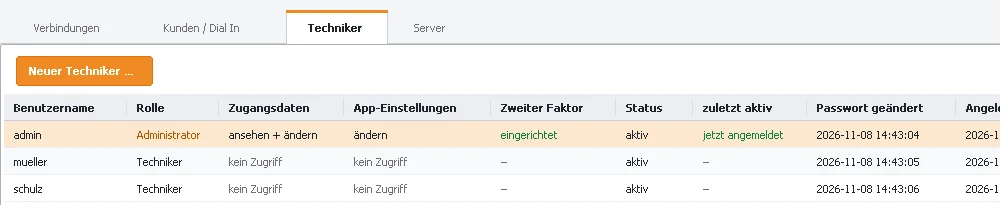 Technicians and permissions
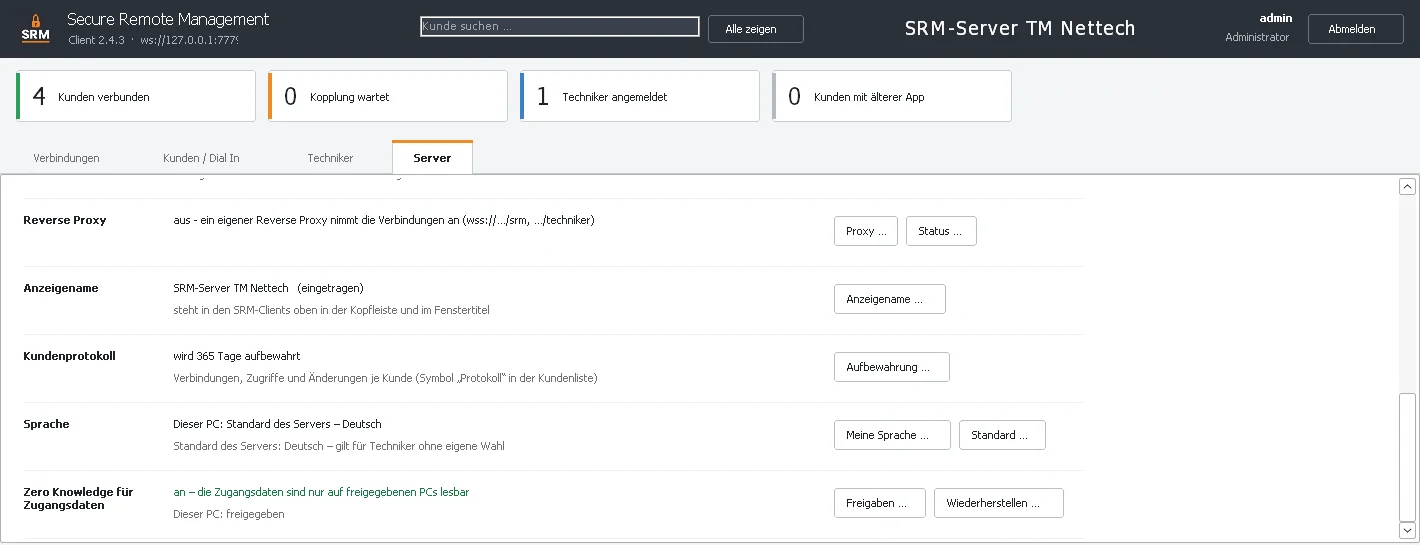 Server settings
The screenshots of the SRM client show the German interface – the client is also available in English.
All features
Connection
- remote maintenance without VPN or port forwarding
- outgoing connection from the customer only (WebSocket)
- end-to-end encryption with mutual verification
- several targets per customer (PBX, App Platform, switch …)
- “Open in browser” and local links
- permanent connection or Dial In with one-time PIN
- maximum duration and caller check
Customers
- pairing with check code and approval
- customer list with search and status
- change app settings remotely
- app update via the SRM server
- switch the backend address for all customers
- customer log with CSV export
Security
- WebSocket Secure (WSS)
- SSL certificate support
- Zero Knowledge for credentials
- approval of new PCs with check code
- recovery key
- two-factor login (TOTP)
- roles and permissions per technician
- log of every access
Operations
- SRM client for Windows
- live load and traffic
- encrypted backup and migration
- reverse proxy operation
- interface in English and German
- as SRM-Cloud or on your own server
Cloud or your own server?
Try it yourself
Your own demo server, free for 14 days – up to 10 customer systems and 3 technicians. No payment details, ready as soon as you confirm your e-mail address.
Already have an SRM server with us? You receive your access details and the link to your access sheet by e-mail.