
 App for innovaphone myApps
Callback-Hub – no missed call gets forgotten
Missed and rejected calls automatically become callback entries in a list – personal ones and for your queue teams. As soon as a conversation with the caller takes place, the entry is completed by itself.
- 5 users free for 30 days
- One-time purchase per user
How Callback-Hub works
Install the app
Callback-Hub is installed as a regular app on the innovaphone App Platform. The plugin in the PBX Manager creates the app objects for users and administration.
Calls are recorded
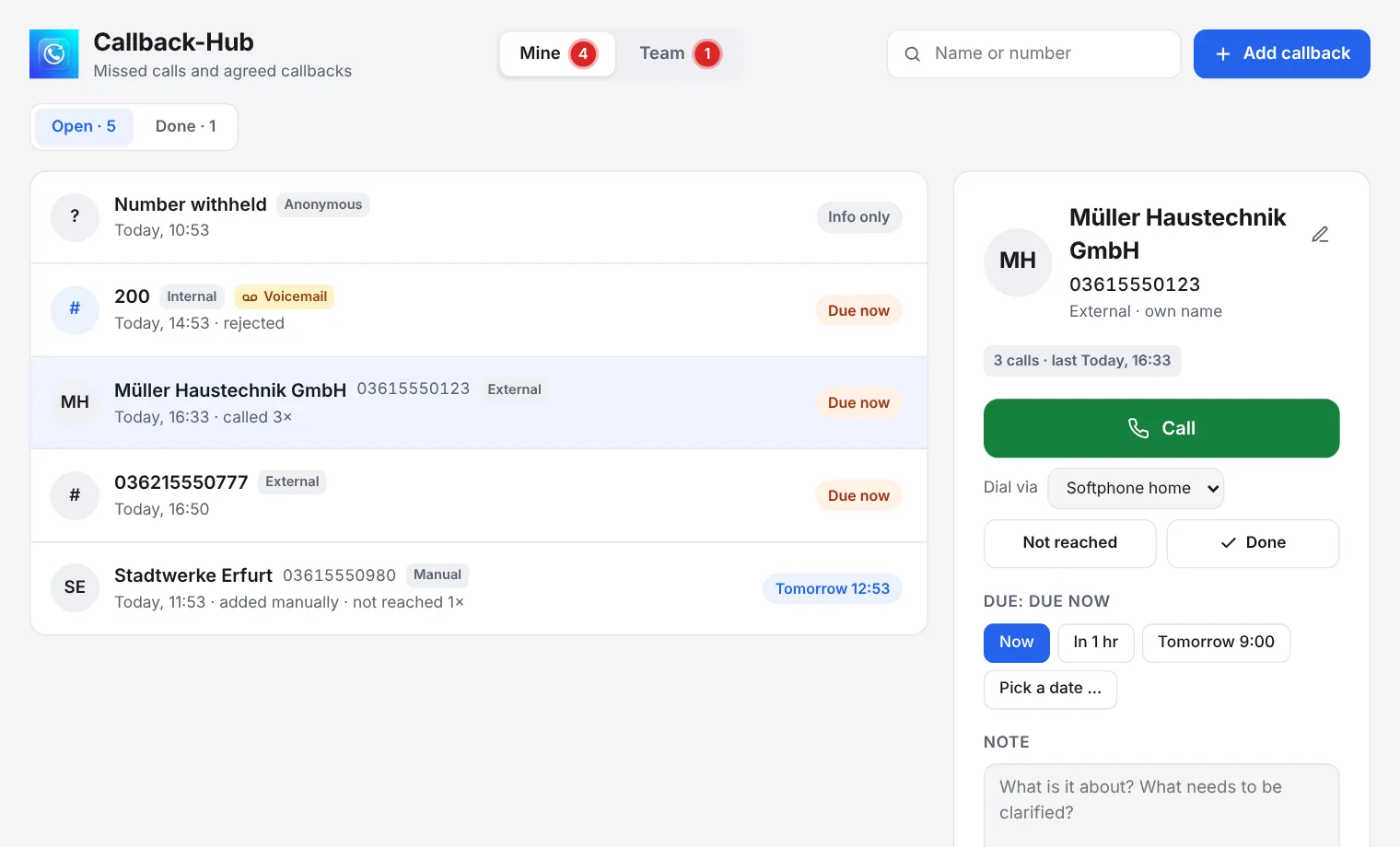
Missed and rejected calls show up immediately – for you personally or in the team of the queue. Several calls from the same number are combined.
Call back
One click on “Call” dials via your phone. If the call is answered, the callback is done – otherwise there is a new attempt one hour later.
Everything at a glance – with due time and note
Every user sees their missed and rejected calls with name, number and number of attempts. Set a due time, write a note, read the history – and call back with one click via the phone of your choice.
- completed automatically as soon as a conversation takes place
- “Not reached” with a new attempt one hour later
- hint when the call ended up in the voicemail
Queues: one takes over, everybody knows
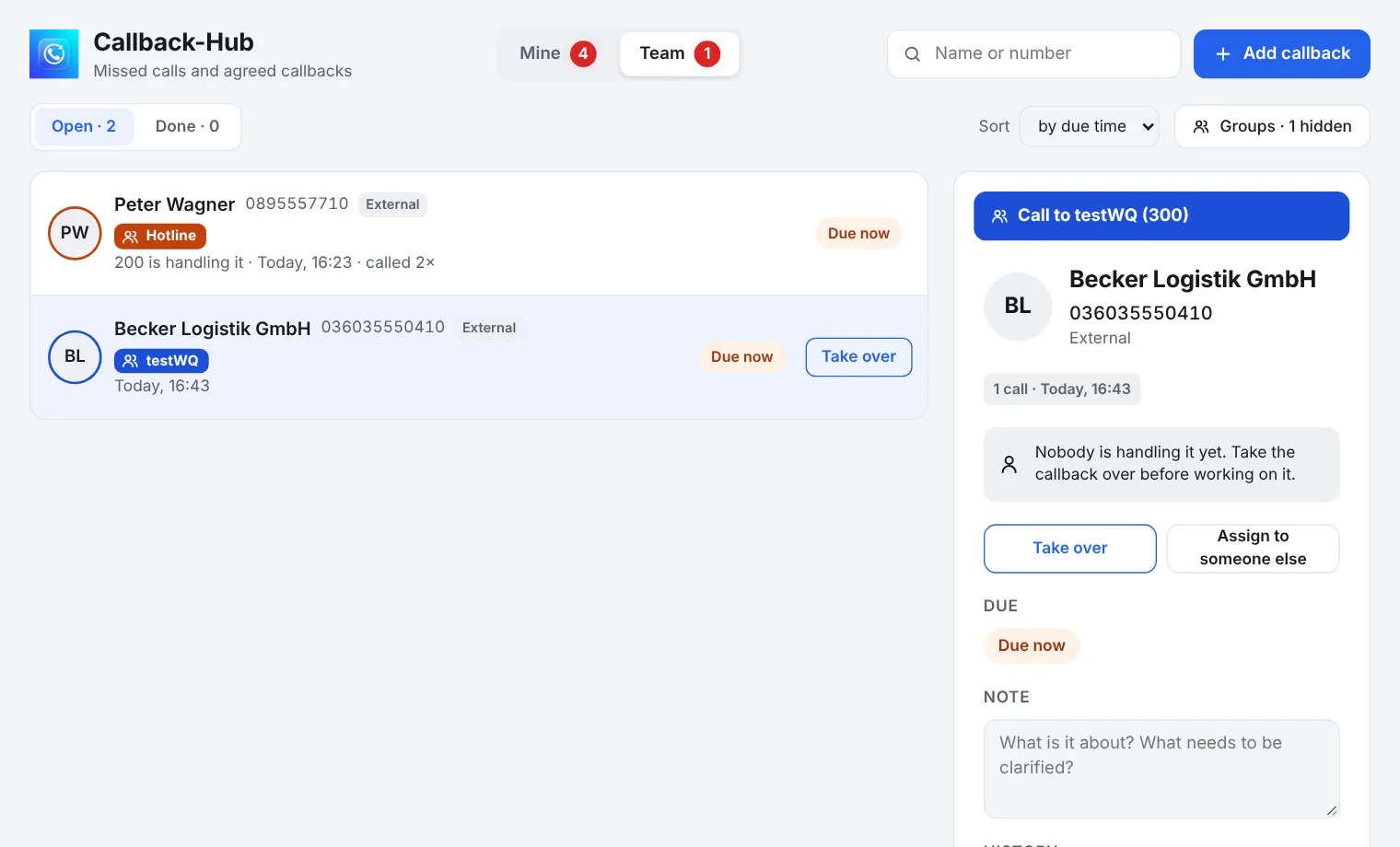
If nobody answered a call to a queue, all members of the group see it. Who takes it over is visible to the colleagues – no more duplicate callbacks. Entries can also be assigned to a colleague.
- also on overflow to another queue
- groups can be hidden per user, custom group names
- several PBXs and nodes in one system
Number on the app icon – on the mobile, too
myApps shows on the Callback-Hub icon how many callbacks are open – even when the app is not open. In the app the counter pulses as soon as a callback is due.
- German and English, light and dark following myApps, smartphone view
- completed entries stay visible for 30 days
5Licence and users for administrators
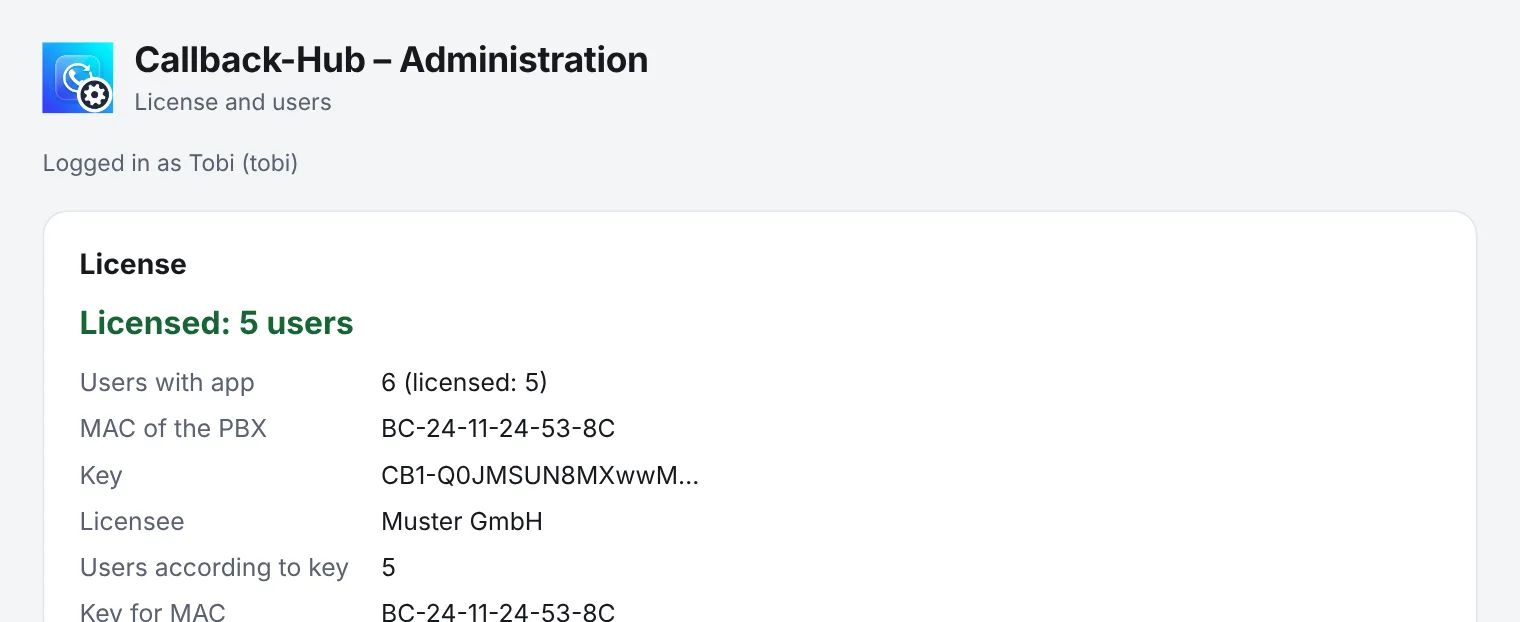
A separate administration app shows the MAC address of the PBX, the licence status and all users with the app assigned. You enter the licence key there – done.
- only users with the app assigned are counted
- changes to users and templates take effect immediately
- key bound to the MAC of one PBX of the system
Price and purchase
Callback-Hub
Licence per user, from 1 user€18.80 per user, one-time
e.g. 10 users = €188
- One-time purchase, no time limit
What happens next
When buying, you enter the MAC address of your PBX and the number of users. You find the MAC in the Callback-Hub administration app. You receive the licence key by e-mail and enter it there.
Add more users
Enter your current key and pay only for the additional users. You receive a new key for the same PBX.
Try for free
Download Callback-Hub and try it for 30 days with up to 5 users – no key and no registration needed. With the licence key the app simply keeps running afterwards.
Version 1.12.5 · for arm, arm64 and x86_64 · installation notes in the package (LIESMICH)
Currently for firmware 15r1 to 16r1 – further firmware branches will follow.