
 App for innovaphone myApps
RingControl – mute individual phones
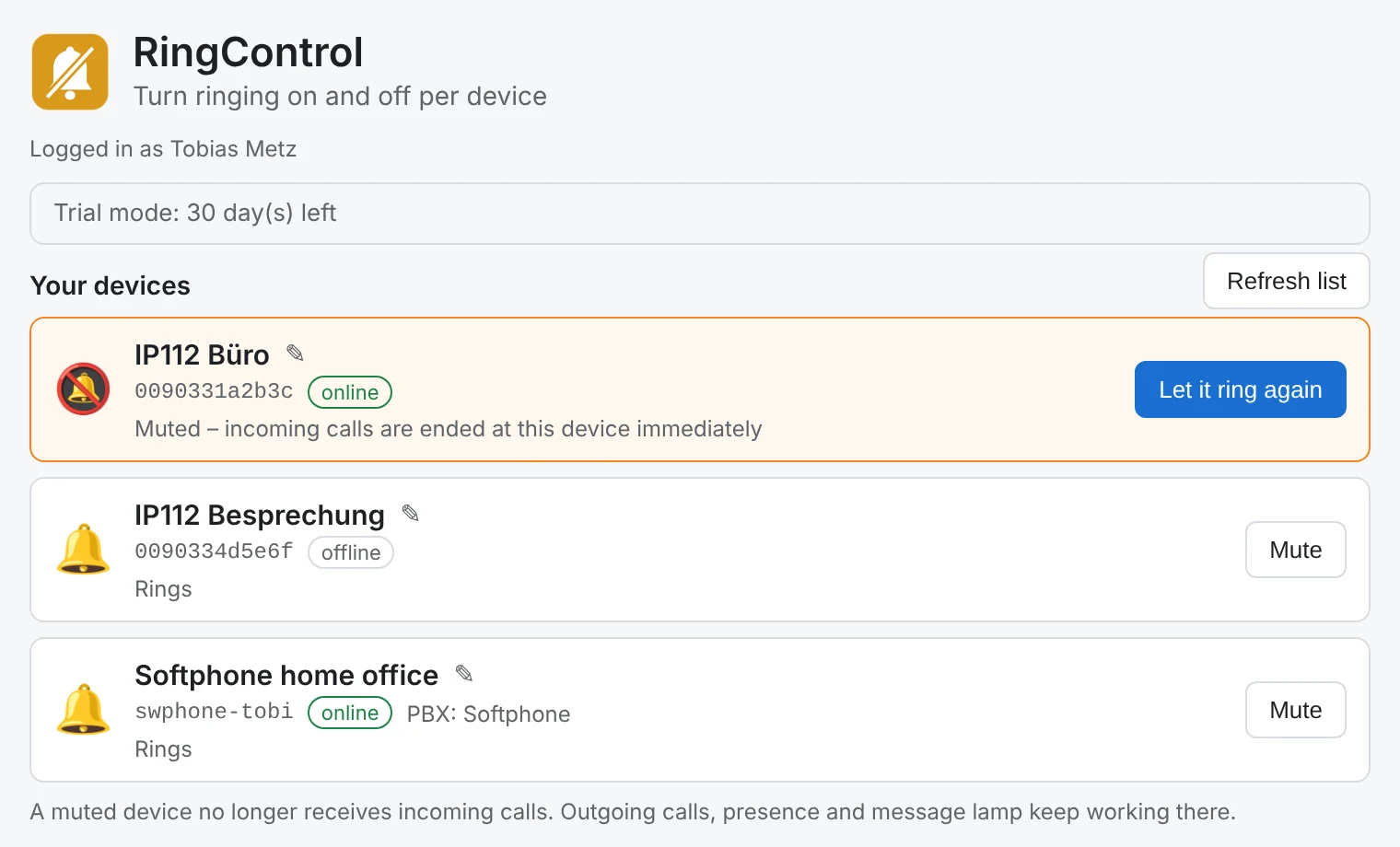
One user, several phones: with RingControl every user mutes individual devices themselves. The IP phone in the office stays silent, the softphone in the home office rings as usual – no forwarding, no change to the PBX.
- 5 users free for 30 days
- One-time purchase per user
How RingControl works
Install the app
RingControl is installed as a regular app on the innovaphone App Platform. Two app objects in the PBX – one for the users, one for administration.
Assign to users
Assign the app to users directly or via a template. In myApps everybody sees their own phones.
Mute
One click per device: “Mute” or “Ring again”. The setting is kept even after a restart.
Ring only where you are
RingControl immediately ends incoming calls to a muted device – on that device only. All other phones of the user keep ringing as usual. Calling, presence and the message lamp keep working on the muted device.
- no missed-call entry on the muted device
- outgoing and connected calls are not touched
- warning when no ringing device is registered any more
Number on the app icon, status per device
myApps shows on the RingControl icon how many devices are currently muted – even when the app is not open. In the app you see for every device whether it is registered. A mobile softphone woken by push shows as “offline (push possible)”.
- own names for devices, e.g. “Office” or “Home office”
- interface in German and English, light and dark
2Licence and users for administrators
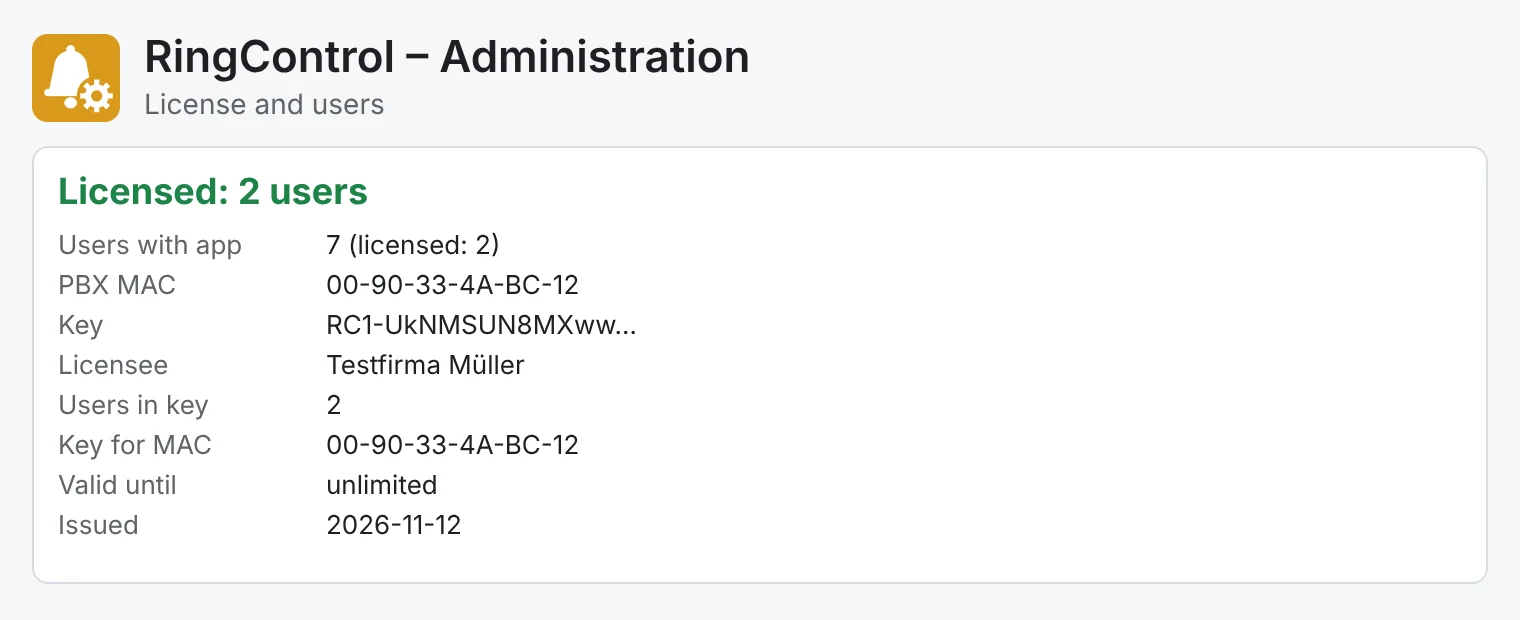
A separate administration app shows the MAC address of the PBX, the licence status and all users with the app assigned. You enter the licence key there – done.
- only users with the app assigned are counted
- key bound to the MAC of the master PBX
Price and purchase
RingControl
Licence per user, from 1 user€12.50 per user, one-time
e.g. 10 users = €125
- One-time purchase, no time limit
What happens next
When buying, you enter the MAC address of your master PBX and the number of users. You find the MAC in the RingControl administration app. You receive the licence key by e-mail and enter it there.
Add more users
Enter your current key and pay only for the additional users. You receive a new key for the same PBX.
Try for free
Download RingControl for your firmware and try it for 30 days with up to 5 users – no key and no registration needed. With the licence key the app simply keeps running.
Version 2.1.8 · each package for arm, arm64 and x86_64 · installation notes in the package (LIESMICH)